
Have you tried to talk to AI? Did it give a strange answer?
You are not alone. Many people see this. You ask a simple question. The AI gives a poor answer. This can feel very annoying.
Do not worry. You can fix it. You only need one new skill. Learn how to write good AI prompts.
What is a prompt? It is the text you type. It tells the AI what to do. Clear words help the AI. Bad words confuse it.
I remember my first try with AI. I asked for a story. The story was bad. It made no sense. I thought the AI was broken.
But the AI was fine. My prompt was bad. I did not give enough clues.
Later, I learned to write better prompts. Then everything changed. The AI felt like magic. It saved my time. It helped me learn new things.
It can help you too.
In this guide, we talk about AI prompts. We keep it simple. No big words. No tech talk. Just easy steps you can use now.
Let’s start.

What Are AI Prompts?
Let’s start with the basics. What is a prompt?
A prompt is a message. It is the text you type to the AI. It tells the AI what to do.
Think of it like ordering food. You go to a restaurant. You talk to a waiter. You tell them what you want.
If you only say, “I want food,” the waiter feels confused. What food do you want? Hot food? Cold food? Sweet food?
But if you say, “I want a hot cheese pizza,” the waiter understands you.
AI prompts work the same way. The AI is like the waiter. You are the customer. You must say what you want.
If your prompt is clear, the AI gives a clear answer.
Why Good AI Prompts Matter
Why should you care about this? Why take the time to learn?
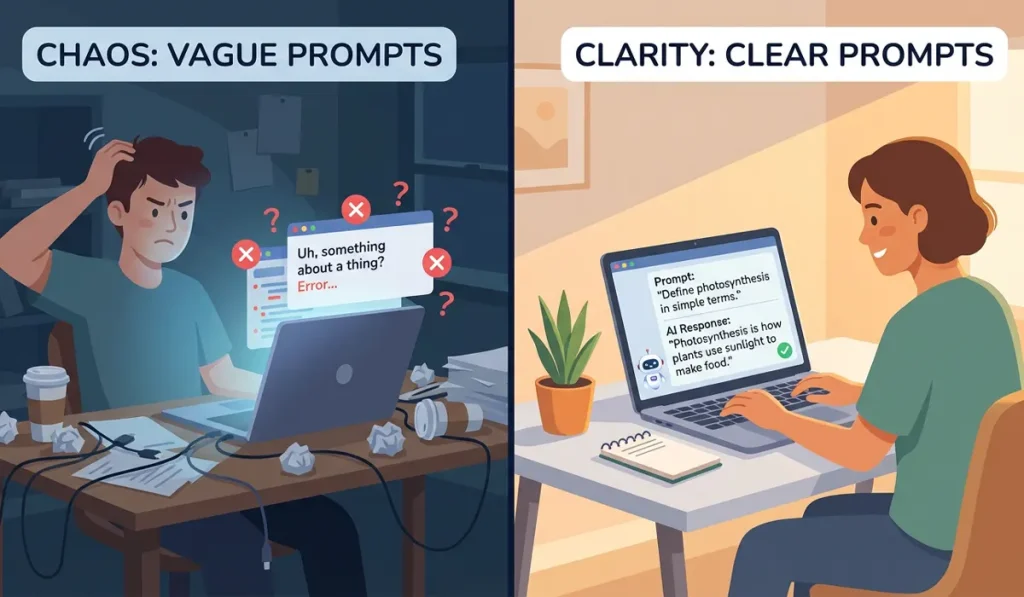
Here are a few big reasons:
- It Saves Time. Bad instructions mean you have to ask again and again. Good instructions get it right the first time.
- You Get Better Answers. A good prompt unlocks the true power of AI. It gives you smart, deep answers.
- It Stops Frustration. No one likes feeling stuck. Good prompts make AI fun to use.
- You Can Do More. You can use AI for work, school, or fun. Good prompts help you do all of these things better.
AI is very smart. But it cannot read your mind. It only knows what you tell it. You have to be the boss. You have to guide it.
The Golden Rules for AI Prompts
Writing good AI prompts is easy. You just need to follow a few simple rules. I call these the Golden Rules.
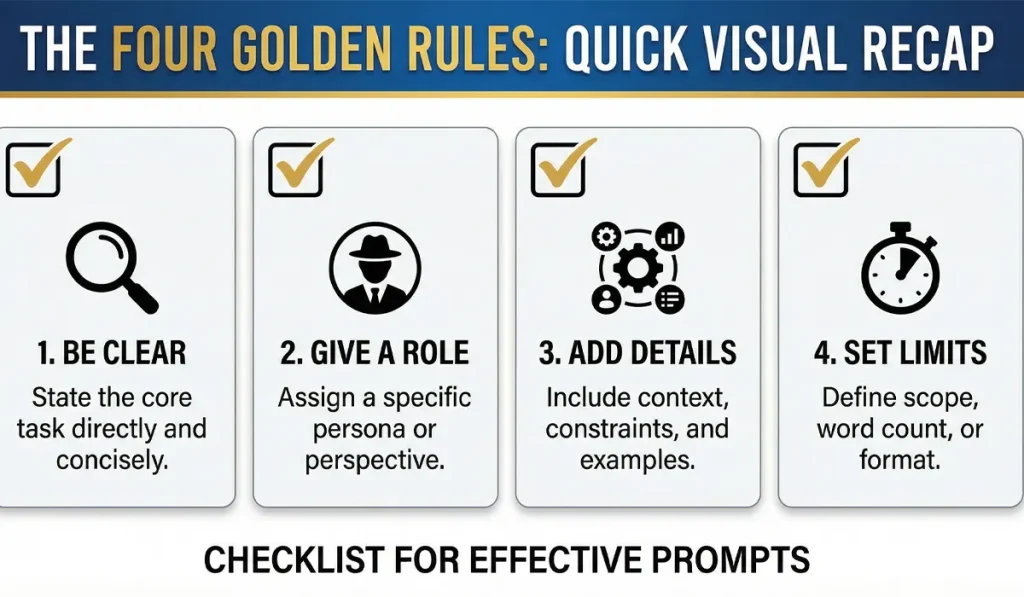
If you use these rules, your results will be amazing. Let us look at them.
Rule 1: Be Clear and Direct
Do not use vague words. Be very clear. Say exactly what you want.
- Bad: Tell me about dogs.
- Good: Tell me how to train a new puppy to sit.
See the difference? The first one is too broad. The AI might talk about dog food. Or dog history. The second one is exact. The AI knows you want training steps.
Rule 2: Give the AI a Role
This is a fun trick. You can tell the AI to act like a certain person. This changes how it talks.
- Example 1: Act like a math teacher. Explain fractions to a five-year-old.
- Example 2: Act like a top chef. Give me a simple recipe for eggs.
- Example 3: Act like a fitness coach. Make a workout plan for me.
When you give the AI a role, it focuses. It uses the right tone. It gives better advice.
Rule 3: Add Details and Context
Context means giving the AI background facts. Tell it why you are asking. Tell it who you are.
Let us say you want to write an email.
- Bad: Write an email to my boss.
- Good: I need to write an email to my boss. Her name is Sarah. I am sick today. I have a fever. I will not be at work. Please make the email sound polite and professional.
The second prompt gives the AI all the facts. It knows the boss’s name. It knows why you are writing. The email will be perfect.
Rule 4: Tell It What Not to Do
Sometimes, the AI talks too much. Or it uses big words. You can tell it what to avoid.
- Example: Explain black holes. Do not use hard science words. Keep it under 100 words.
This sets limits. Limits are great for AI prompts. They keep the AI on track.
Step-by-Step: Making Your First Great Prompt
Now you know the rules. Let us put them to work. We will build a great prompt together. We will do it in four easy steps.
Step 1: Pick Your Goal
What do you want the AI to do? Pick one clear goal.
Let us say your goal is to plan a trip. You want to go to Rome.
Step 2: Write a Draft
Write down your first thought. Do not worry if it is bad. Just get it on paper.
- Draft: Plan a trip to Rome for me.
Step 3: Add the Golden Rules
Now, let us fix the draft. We will add a role, details, and limits.
- Role: Act like a local travel guide.
- Details: I am going to Rome for three days. I love art and good food. I have a small budget.
- Limits: Do not include expensive hotels. Keep the plan short.
Step 4: Put It All Together
Now, we combine the parts. This is your final prompt.
- Final Prompt: “Act like a local travel guide. Plan a three-day trip to Rome for me. I love art and good food. I have a small budget. Please do not include expensive hotels. Keep the plan short and easy to read.”
Try it yourself! Type that into an AI tool. You will see a huge difference.
Good vs. Bad AI Prompts (Examples)
The best way to learn is to look at examples. Let us look at some common things people ask AI. We will look at a bad way and a good way to ask.
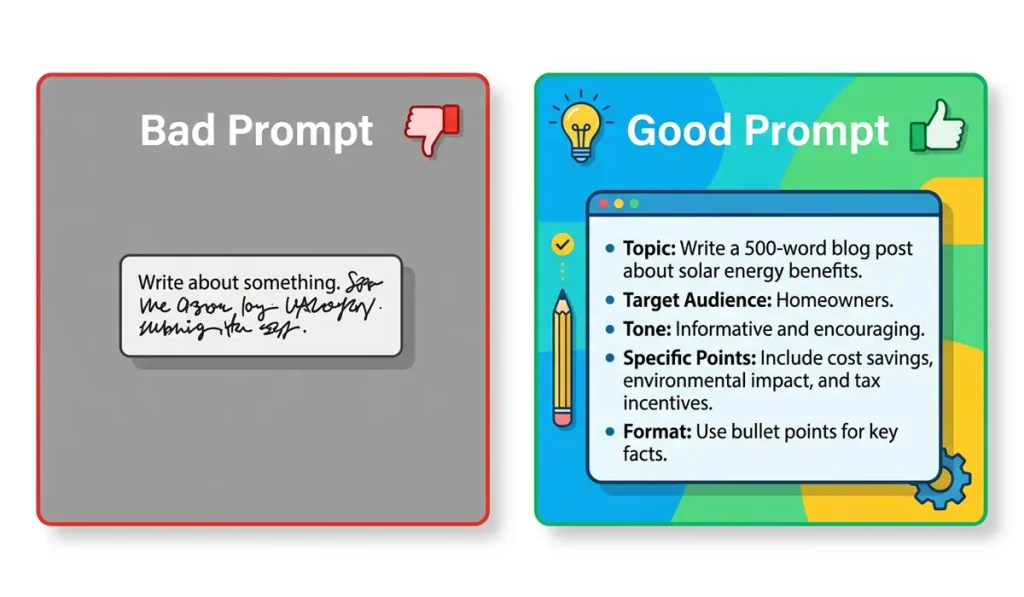
Example 1: Asking for a Recipe
You are hungry. You look in your fridge. You have chicken, rice, and carrots.
- Bad Prompt: What can I make with chicken, rice, and carrots?
- Why it is bad: It is okay, but basic. The AI might give you a hard recipe. It might take two hours to cook.
- Good Prompt: Act like a fast-food chef. I have chicken, rice, and carrots. Give me a recipe that takes less than 20 minutes to make. Make the steps very simple.
- Why it is good: You gave a role. You gave a time limit. You asked for simple steps.
Example 2: Writing a Work Email
You need to ask a client for more time on a project.
- Bad Prompt: Write an email asking for more time.
- Why it is bad: The AI does not know who the client is. It does not know why you need time.
- Good Prompt: I am a web designer. Write an email to my client, John. Ask him for three more days to finish his website. Tell him the delay is because we are adding extra security. Keep the tone very polite but firm.
- Why it is good: It has all the facts. It sets the tone.
Example 3: Learning a New Thing
You want to learn about the stock market.
- Bad Prompt: Explain the stock market.
- Why it is bad: The AI will give you a long, boring book. It will use hard math words.
- Good Prompt: Act like a fun teacher. Explain the stock market to a ten-year-old. Use a simple story about a lemonade stand to explain it.
- Why it is good: You set a low reading level. You asked for a story. This makes it fun and easy to learn.
Top Tricks to Get Better Answers
You are doing great. You know the basics. Now let us look at some pro tricks. These are easy to use. They make your AI prompts even better.
1. Ask for a List
Big blocks of text are hard to read. Ask the AI to use lists.
- Add this to your prompt: “Please give me the answer in a bulleted list.”
2. Set a Word Count
Sometimes the AI talks forever. You can stop this. Tell it how long the answer should be.
- Add this to your prompt: “Keep the answer under 50 words.”
- Or try: “Write exactly three paragraphs.”
3. Choose a Tone
Tone is how the writing sounds. Is it happy? Is it sad? Is it serious? You get to pick.
- Try these tones:
- “Make it sound funny.”
- “Make it sound professional.”
- “Make it sound friendly and warm.”
4. Ask the AI to Ask YOU Questions
This is my favorite trick. Sometimes you do not know what details the AI needs. So, make the AI do the work!
- Try this prompt: “I want to write a blog post about healthy eating. Ask me 5 questions about my goals before you write it.”
The AI will stop. It will ask you questions. You answer them. Then, it writes a perfect blog post. It feels like magic.
How to Fix a Bad Answer
Even with good AI prompts, things go wrong. Sometimes the AI gives a bad answer. That is okay. Do not give up. You can fix it.
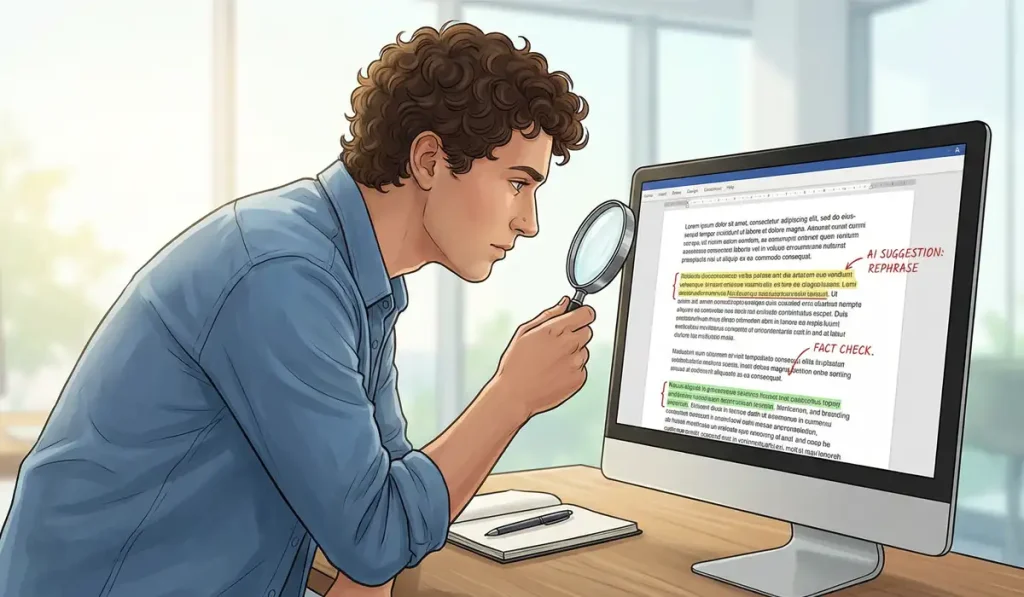
Here is how you fix a bad answer.
Tell It What It Did Wrong
Talk to the AI like a helper. If it makes a mistake, tell it.
- “That is too long. Make it shorter.”
- “You used words that are too hard. Try again with simple words.”
- “You forgot to talk about the budget. Add that in.”
Try a New Angle
If the AI is stuck, change your prompt. Try a new role.
- Old: “Explain cars.”
- New: “Act like a car mechanic. Tell me how an engine works.”
Start Over
Sometimes the AI gets confused. It gets stuck in a loop. If this happens, just hit refresh. Start a brand new chat. A fresh start often fixes the problem.
Daily Uses for AI Prompts
How can you use this every day? There are so many ways. AI is not just for tech people. It is for everyone. Let us look at a normal day. We will see how AI prompts can help.
Morning: Planning the Day
You wake up. You have a lot to do. You feel stressed. Let the AI help.
- Prompt: “Here is my to-do list: buy groceries, clean the kitchen, call my mom, pay bills, and read a book. Act like a smart planner. Order this list from most important to least important. Give me a schedule for the day.”
Afternoon: Work or School Help
You are at work. You need ideas for a meeting.
- Prompt: “I have a meeting about saving money at the office. Give me 5 creative ideas to save money. Keep the ideas realistic. Put them in a short list.”
Evening: Dinner Time
You do not know what to cook.
- Prompt: “I want to make pasta. I have tomatoes, garlic, and cheese. Give me a step-by-step recipe. Tell me exactly how long to boil the pasta.”
Night: Relaxing
You want to watch a movie. But you do not know which one.
- Prompt: “Act like a movie expert. I love funny movies from the 1990s. I do not like scary movies. Give me 3 movie ideas to watch tonight. Tell me why I will like them.”
See? You can use AI all day. You just need to ask the right way.
Common Mistakes to Avoid
We have talked about what to do. Now let us talk about what not to do. Avoid these common mistakes.
Mistake 1: Being Too Vague
We talked about this. But it is the biggest mistake. Do not just say “Help me.” The AI does not know how to help. Always give details.
Mistake 2: Asking Too Much at Once
Do not give the AI a massive job.
- Bad: “Write a whole book about space. Make it 50 pages long. Include pictures. Make a cover.”
The AI will fail. It will get confused. Break big jobs into small steps.
- Good: “Let us write a book about space. First, give me 3 ideas for a title.”
Once it does that, ask for the next step. Take it one piece at a time.
Mistake 3: Trusting Everything It Says
AI is smart. But it makes mistakes. Sometimes it makes things up. This is called a “hallucination.”
Always check the facts. If the AI gives you a math answer, check it. If it gives you a history fact, look it up. Do not blindly trust the AI. Use it as a helper, not a boss.
Mistake 4: Being Rude
You do not have to say please and thank you. The AI does not have feelings. But being polite actually helps!
Why? Because polite words are clear words. When you write politely, you often write more clearly. Plus, it is just a good habit to have.
Fun Things You Can Do With AI Prompts
Learning should be fun. Do not just use AI for work. Use it to play! Here are some fun AI prompts you can try right now.
1. Play a Game
You can play text games with AI.
- Prompt: “Let us play a game. You are a dragon in a cave. I am a knight. Ask me what I want to do next. Wait for my answer before you speak again.”
2. Write a Poem
AI is very creative. It can write sweet or funny poems.
- Prompt: “Write a funny poem about a cat who loves pizza. Make it rhyme. Keep it to four lines.”
3. Learn a Language
You can use AI to practice a new language.
- Prompt: “Act like a Spanish teacher. Let us have a simple chat in Spanish. Ask me how my day was. Wait for my reply. If I make a mistake, fix it for me.”
4. Get a Pep Talk
Having a bad day? The AI can cheer you up.
- Prompt: “I am having a hard day. I feel tired. Act like a kind coach. Give me a short, happy pep talk to make me smile.”
Summary: Your AI Prompt Cheat Sheet
We have covered a lot of facts today. Let us wrap it up. Here is a quick cheat sheet. Save this list. Look at it before you talk to an AI.
- Be specific. Tell it exactly what you want.
- Give it a job. Tell it to act like a pro.
- Set the rules. Tell it how long the answer should be.
- Pick a tone. Tell it to be funny, sad, or smart.
- Fix mistakes. If it gets it wrong, tell it to try again.
- Take small steps. Do not ask for too much at once.
If you remember these six things, you will be an expert. You will write amazing AI prompts.
Some common questions about AI Prompts
You might still have some questions. That is normal. Here are some common questions beginners ask.
What is the best AI tool to use?
There are many good tools. ChatGPT is very popular. Claude is also great. Gemini is another good choice. Most of them have free versions. Pick one and try it out. They all work in a similar way.
Do I need to pay for AI?
No. You do not have to pay. Many great AI tools are totally free. There are paid versions, too. But the free ones are perfect for beginners. Start with a free tool.
Is prompt engineering hard to learn?
Not at all. “Prompt engineering” is just a big word. It just means talking to the AI. If you can talk to a friend, you can talk to an AI. It just takes a little practice.
Can AI write my school paper?
AI can help you plan your paper. It can give you ideas. It can fix your spelling. But you should not let it write the whole paper. That is cheating. Plus, teachers can often tell if an AI wrote it. Use it as a tutor, not a shortcut.
Why does the AI sometimes give weird answers?
AI learns from the internet. The internet has a lot of weird stuff on it! Sometimes the AI gets confused. If it gives a weird answer, just change your prompt. Ask the question in a new way.
Can I save my best prompts?
Yes! This is a great idea. Open a blank document on your computer. When you write a prompt that works well, save it there. You can copy and paste it next time. This saves you a lot of time.
My final opinion
Talking to AI is not hard. It can be easy. It can also be fun.
Just remember a few simple rules. Be clear. Give the AI a role. Add good details. Tell it what not to do.
Think of AI as a smart helper. But it needs clear directions. If you guide it well, it can do great work.
Do not fear mistakes. Try again if needed. Practice helps you improve.
Soon, writing good AI prompts will feel natural.
Now it is your turn.
Open your favorite AI tool. Try a fun prompt today. Ask it to write a poem. Or ask for a recipe.
See what it does.
Have fun exploring the world of AI! If you like this post, please share it on my website.

TechieIn was founded by MD BELAL, a tech enthusiast driven by a passion for digital innovation and storytelling. With a vision to create a reliable hub for tech lovers, Belal ensures that every piece of content shared here is valuable, timely, and easy to understand.
Thank you for being part of our community. Stay connected, stay updated!