

Do you want to make your own songs? It is very easy now. You do not need a band. You do not need to play guitar. You just need a computer.
Suno AI is a fun tool. It makes music for you. You just type words into a box. The AI reads your words. Then, it makes a song!
But how do you use it well? You need good words. These words are called prompts. If you use bad words, the song sounds bad. If you use good words, the song sounds great.
Today, I will share my best Suno AI prompt tips. I have made many songs with this tool. I know what works. I will help you learn. Let’s dive in!

What is Suno AI?
Suno AI is a smart tool that makes songs. It can create a song from nothing. It writes the music. It sings the lyrics. It plays the instruments too.
You can make many types of songs. You can make pop songs. You can make rock songs. You can even make sad songs. You are in control. Suno works like your own band.
Many people ask how to make a good song with Suno AI. The key is the prompt. A prompt is a short message. It tells the AI what kind of song to make.
Why You Need Good Suno AI Prompt Tips
You might type, “Make a song.” The AI will try. But the song might be boring. The AI needs more clues.
Think of the AI like a chef. If you say, “Make food,” you might get soup. You might get cake. You do not know! But if you say, “Make a hot cheese pizza,” you get exactly that.
The same is true for music. You must be clear. Good suno ai prompt tips music generation rules tell you to be specific. Tell the AI the style. Tell it the mood. Tell it the instruments.
How to Write Your First Prompt
Let’s write a prompt together. It is very simple. Just follow these easy steps. I will show you how to prompt suno ai music generation tips that work.
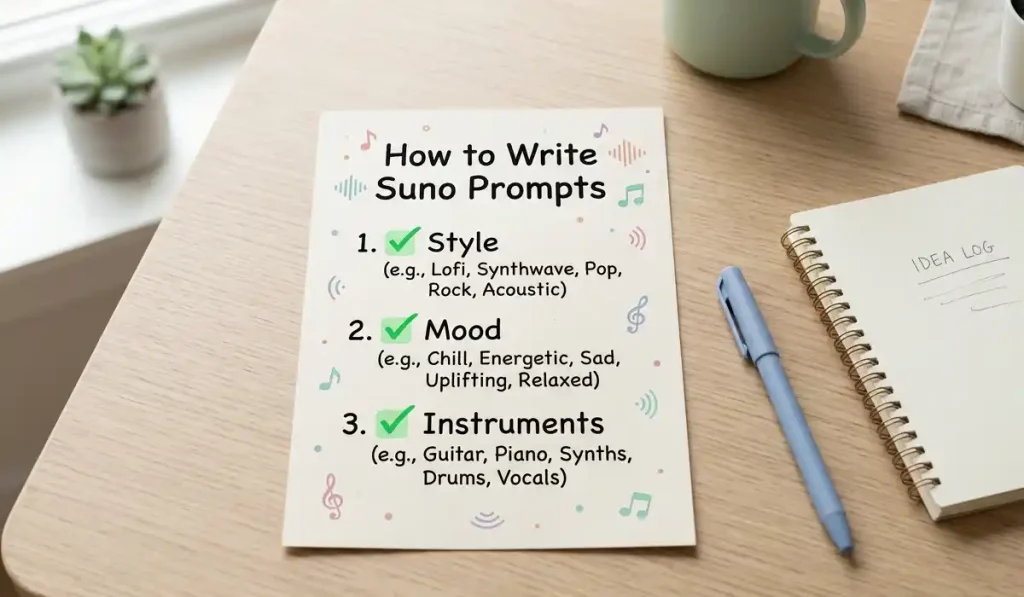
Step 1: Pick a Style
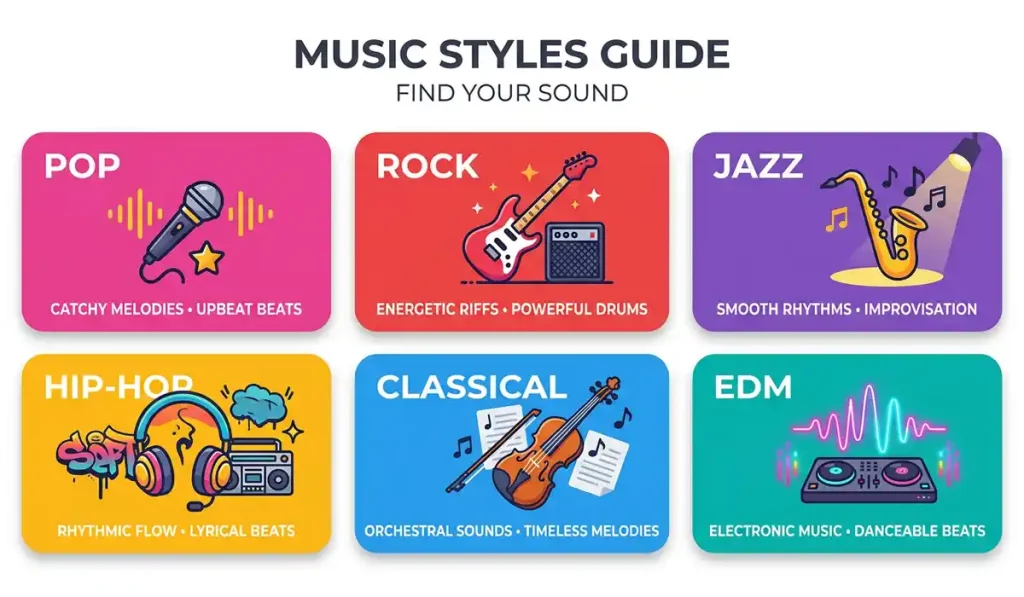
What kind of music do you like? You must pick a genre. A genre is a style of music. Here are some simple ones:
- Pop
- Rock
- Jazz
- Rap
- Country
- Dance
Always put the style first. This is a top rule. Experts agree on this. It sets the base for the song.
Step 2: Set the Mood
How should the song feel? Music has feelings. You must tell the AI the mood. Here are some moods:
- Happy
- Sad
- Angry
- Chill
- Fast
- Slow
Add the mood next to the style. For example: “Happy pop” or “Sad rock.”
Step 3: Add Instruments
What sounds do you want to hear? You can pick the tools. Tell the AI what to play.
- Loud drums
- Soft piano
- Electric guitar
- Deep bass
Now, put it all together. “Happy pop song with loud drums and soft piano.” This is a great start!
Suno Vocal Prompts: Getting the Best Voices
The singing is very important. You want the voice to sound good. You can use special Suno vocal prompts for this.
You can tell the AI who should sing. You can pick the voice type. Here are some ideas:
- Male voice
- Female voice
- Deep voice
- High voice
- Robot voice
- Choir (many people singing)
You can also tell the AI how to sing.
- Soft singing
- Loud yelling
- Fast rapping
- Smooth crooning
Add these to your prompt. “Sad rock song with a deep male voice. He is singing softly.” This gives the AI a clear picture.
Suno AI Prompt Tips: Best Practices
I want to share some suno ai prompt tips best practices. These are rules I use every day. They help me make great tunes.
- Keep it short. Do not write a whole book. Use short phrases. Commas are your friends.
- Use simple words. The AI likes simple words. Do not use big, hard words.
- Do not use band names. Do not say, “Sound like The Beatles.” The AI will block this. It is a rule to stop copying. Use style words instead. Say “1960s British rock.”
- Use tags. Tags are words in brackets. Like this:
[Chorus]. They tell the AI what part of the song is playing. - Try again. The first song might be bad. That is okay! Just change a word. Try again.
Using Song Structure Tags
Songs have parts. They have a start, a middle, and an end. You can control these parts. You just use brackets [ ]. The AI reads these as commands.
Here is a simple list of tags:
[Intro]– The start of the song. Usually just music.[Verse]– The story part. The words change here.[Chorus]– The catchy part. The words stay the same. It is loud and fun.[Bridge]– A new part. It sounds different from the rest.[Guitar Solo]– A part where the guitar plays alone.[Outro]– The end of the song. It fades out.
You can type your lyrics under these tags. The AI will sing them right. This is a huge trick!
A Simple Suno AI Prompts List
Do you need ideas? I made a Suno AI prompts list just for you. You can copy these. You can change them. Play with them!
For Fun Pop Songs:
- Upbeat pop, bright synth, female vocal, happy mood, fast tempo.
- Dance pop, heavy bass, party vibe, male singer, loud drums.
- Teen pop, acoustic guitar, sweet voice, summer feel.
For Cool Rock Songs:
- Hard rock, electric guitar riff, angry male vocal, loud drums.
- Indie rock, soft drums, sad mood, female singer, slow tempo.
- Punk rock, fast pace, yelling vocals, messy guitar.
For Chill Beats:
- Lo-fi hip hop, slow beat, no vocals, chill mood, vinyl crackle.
- Smooth jazz, saxophone, soft piano, night time vibe.
- Ambient music, space sounds, very slow, relaxing.
Suno AI Prompt Examples You Can Try Now
Let’s look at real Suno AI prompt examples. I will show you the prompt. Then I will tell you why it works.
Example 1:
Prompt: “Fast rap beat, heavy bass, dark mood, aggressive male vocal.”
Why it works: It tells the AI the speed (fast). It gives the genre (rap). It names an instrument (heavy bass). It sets the mood (dark). It picks the voice (aggressive male). It is very clear.
Example 2:
Prompt: “Acoustic folk, sad female singer, playing a soft guitar, slow tempo.”
Why it works: It is very simple. The AI knows exactly what to do. Folk music needs acoustic guitars. The sad mood fits the slow tempo.
Example 3:
Prompt: “1980s synth pop, happy dance beat, robotic voice, bright sounds.”
Why it works: It gives a time period (1980s). This helps the AI pick the right old sounds. The robotic voice fits the synth pop style.
How to Improve Suno AI Music Quality?
Sometimes, the song sounds a bit messy. The voice might sound like a robot. The music might be too noisy. How to improve Suno AI music quality?
Here are five easy tricks:
- Add “High Quality” words. Put words like “Clear production,” “Studio sound,” or “Crisp mix” in your prompt. This tells the AI to make it sound clean.
- Less is more. Do not ask for ten instruments at once. The AI gets confused. Ask for two or three. The sound will be much clearer.
- Check your lyrics. If you write your own words, keep them neat. Make sure they rhyme. Make sure the lines are the same length. The AI sings neat words better.
- Use the “Extend” tool. If you like the first half of a song, do not start over. Use the “Extend” button. It lets you keep the good part and fix the bad part.
- Read the manual. You can look at the Suno Prompt documentation. This is a help guide on their site. It has many new tips. They update it often.
Suno vs. Other AI Tools
Suno is not the only music AI. There are others. You might wonder about them. Let’s talk about them simply.
Which AI is better than Suno?
This is a hard question. “Better” depends on what you want. Suno is great for full songs. It makes the music and the singing together. It is very fast. It is very easy for beginners. Some tools are better for just making beats. Some are better for changing your own voice. But for making a whole song from text, Suno is a top choice.
Is Udio or Suno better?
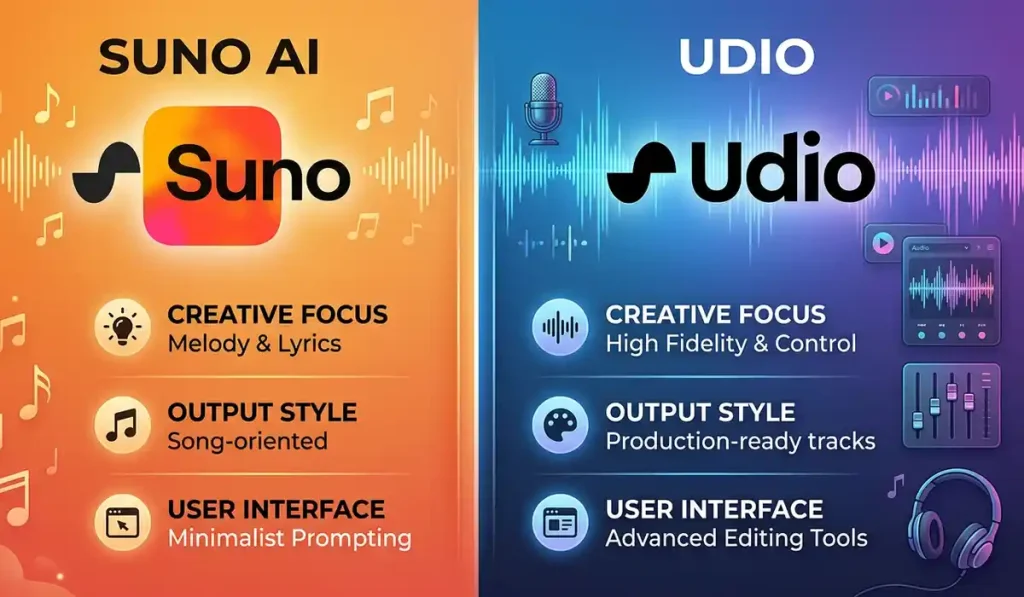
Udio is another new music AI. It is very popular. People always ask, “Is Udio or Suno better?”
Here is the simple truth. Udio often has a very clear sound. The voices sound very real. It is great for high-quality audio. But Udio can be hard to use. It takes more time.
Suno is much faster. Suno makes catchier songs. Suno is easier to control with tags. If you want a fun, catchy pop song quickly, use Suno. If you want a super realistic jazz song, maybe try Udio. I say you should try both! They are both fun.
Making Money and Rules
Many people love their AI songs. They want to share them. They want to sell them. But there are rules. You must know the rules.
Can I use Suno AI to make money?
Yes, you can. But there is one rule. You must pay for a plan.
The free plan is only for fun. You cannot make money with it. You cannot put songs on Spotify. You cannot sell them in videos.
If you buy a Pro or Premier plan, the songs are yours. You can make money from them. You can share them on YouTube. You can share them on Apple Music.
Always check the rules first. The rules may change.
Can Suno replicate my voice?
Some people want to sing without singing. They ask, “Can Suno replicate my voice?”
The answer is no. Suno does not clone your voice. You cannot upload a tape of you talking. It will not copy you.
Suno makes up brand new voices. It uses math to build a voice. This keeps things safe. It stops people from copying famous singers. It stops people from stealing your voice. So, you must use the AI voices they give you.
Fun Ideas to Try Today
Are you ready to make music? Here are some fun ideas. You can try these right now.
- Make a Birthday Song: Write a prompt for a happy pop song. Use your friend’s name in the lyrics. Send it to them on their birthday. They will love it!
- Make a Pet Theme Song: Does your dog run fast? Make a fast rock song about your dog. Does your cat sleep all day? Make a slow jazz song for your cat.
- Make a Workout Beat: Need music for the gym? Prompt a fast dance track. Use words like “High energy, loud bass, fast tempo.” It will make you run faster!
- Make a Story Song: Write a short story. Put it in the lyrics box. Tell the AI to make it a folk song. Listen to the AI tell your story.
General questions Suno AI
Let’s review some common questions. Beginners ask these a lot.
How to make a good song on Suno AI?
Keep your prompt clear. Name the genre. Name the mood. Name the instruments. Use structure tags like [Chorus]. Keep the lyrics simple and rhyming.
Where can I find the Suno Prompt documentation?
You can find it on the official Suno website. Look for the “Help” or “FAQ” section. They have guides there. They teach you how to use tags.
Can I use famous lyrics?
No. Do not use words from real songs. That is against the law. It is stealing. Write your own words. Or, let the AI write the words for you. Suno has a button for that!
Why did my song end too soon?
Sometimes the AI stops early. It might run out of time. Just click the “Extend” button. Tell it to keep going. Add an [Outro] tag to finish it nicely.
How to prompt suno ai music generation tips for slow songs?
Use words like “Slow tempo, gentle, soft, acoustic, ambient.” Do not use words like “beat, heavy, fast.”
My opinion
Making music is a joy. In the past, it was hard. You had to buy expensive gear. You had to learn notes. Now, it is simple. You just need good words.
We learned a lot today. We learned what Suno AI is. We learned how to write a good prompt. We looked at genres, moods, and instruments. We learned about Suno vocal prompts. We even looked at a helpful Suno AI prompts list.
Remember the golden rules. Keep it simple. Be clear. Use tags. Try different things. If a song is bad, just make another one. It is all part of the fun.
Now it is your turn. Go to Suno AI. Type in your first prompt. Use the tips from this guide. Make a rock song. Make a pop song. Make something crazy!
Music is waiting for you. Go create your masterpiece today! Let your words become music. Have fun!
You can see this other post:
How to Write Great AI Prompts: A Simple Guide for Beginners

TechieIn was founded by MD BELAL, a tech enthusiast driven by a passion for digital innovation and storytelling. With a vision to create a reliable hub for tech lovers, Belal ensures that every piece of content shared here is valuable, timely, and easy to understand.
Thank you for being part of our community. Stay connected, stay updated!